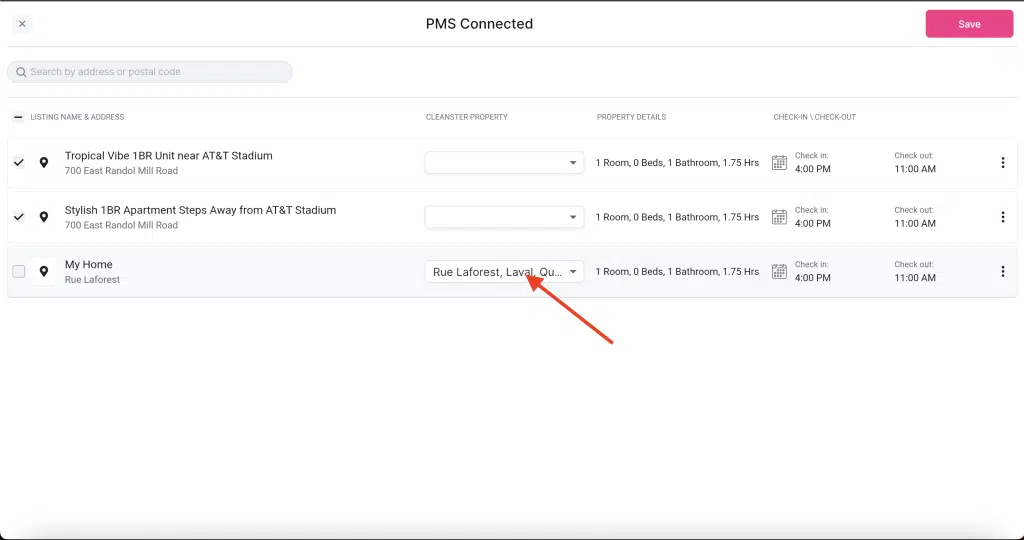
How to Find Your Uplisting API Key and Connect Your Properties
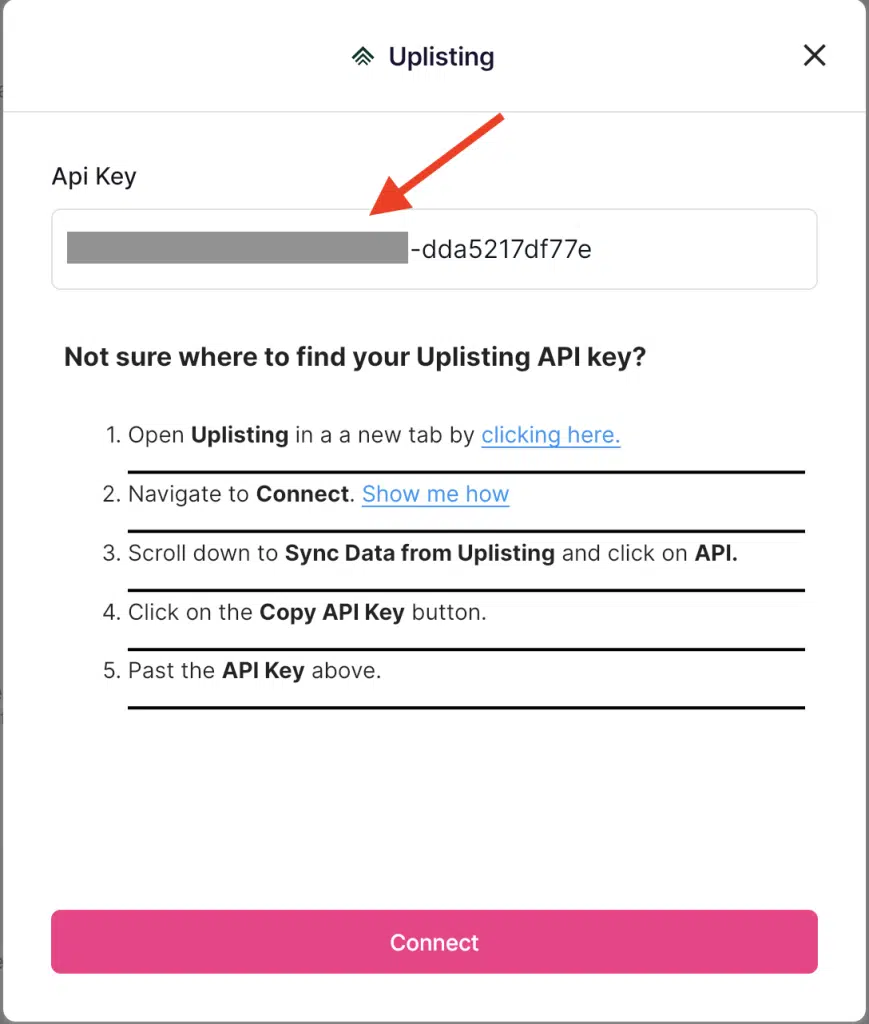
1. Open Uplisting in a new tab by clicking here.
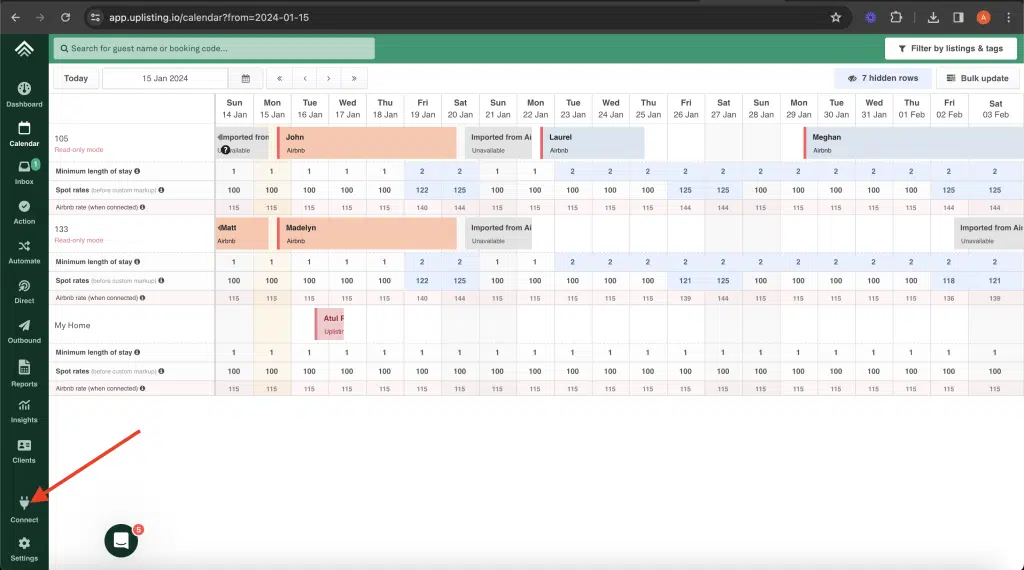
2. Click on “Connect”
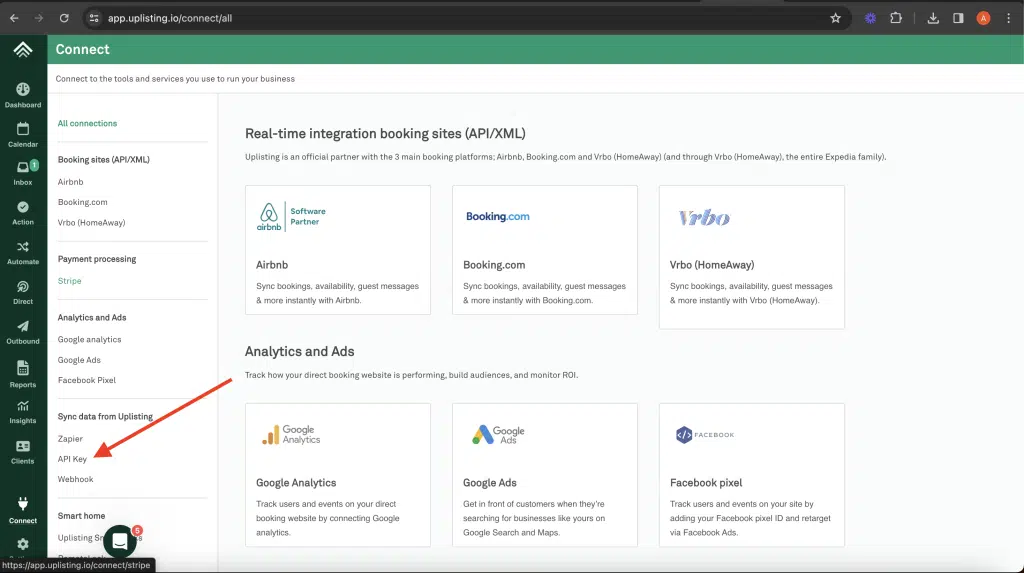
3. Scroll down to Sync Data from Uplisting and click on API Key.
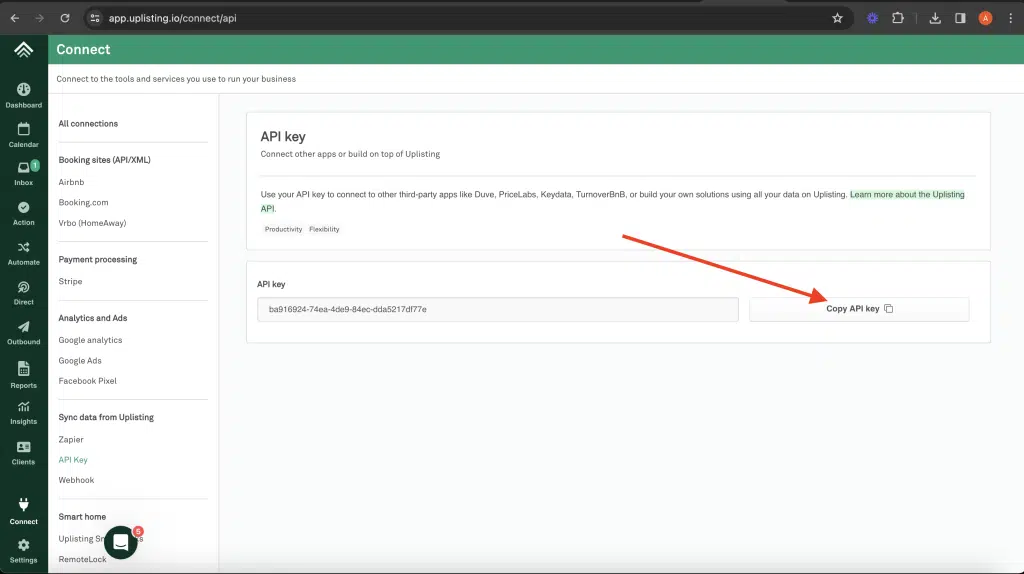
4. Copy the API key
5. Paste the API key into the Cleanster app
6. Choose and save the property
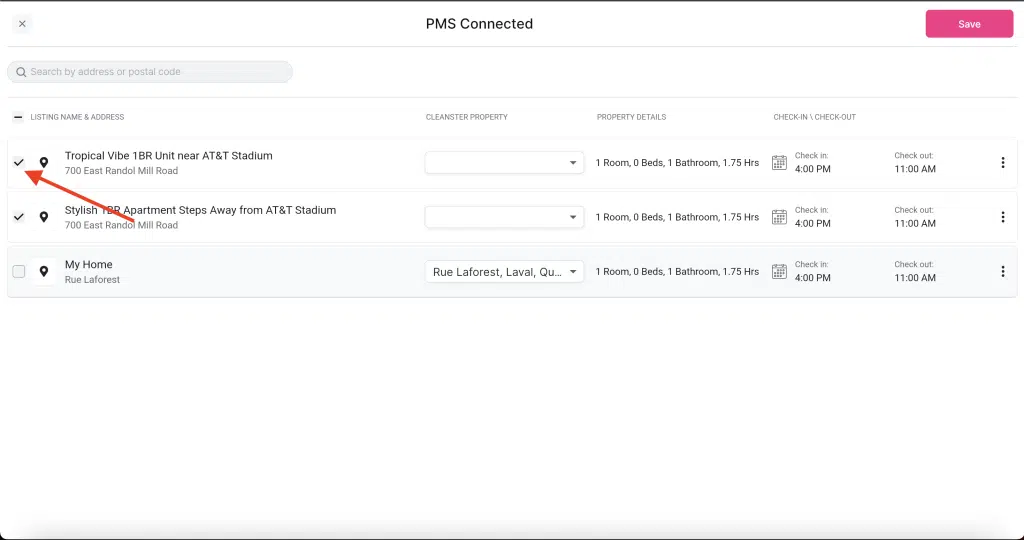
7. Connect to an existing property